
Appearance
Connecting Google Ads
Link your Google Ads account so you can import campaigns, manage ads, and push changes - all from one place.
Before you start
Make sure you have:
- A Google account with access to at least one Google Ads account
- The Admin or Standard role on that Google Ads account (read-only access won't work)
Using a Manager Account (MCC)?
No problem - after connecting you'll be able to choose which sub-accounts to import from.
How to connect
Step 1 - Open Connections
In the left sidebar, click Setup → Connections.
Click Add button.
You'll see a list of available platforms. Find Google Ads and click Connect.
Step 2 - Sign in with Google
A Google login window will open.
- Choose the Google account that has access to your Google Ads
- Click Allow when asked to grant permissions
Privacy
We only request access to your Google Ads data. We cannot see your Gmail, Google Drive, or any other Google services.
Step 3 - Select your ad accounts
After signing in, you'll be redirected back and asked to choose which Google Ads accounts to connect.
- You'll see a list of all accounts available under your Google login
- Check the accounts you want to manage
- Click Confirm
Step 4 - You're connected
You can import all campaigns that had data in the last 2 years to Evolve, so that report data is immediately available in Ads Manager. 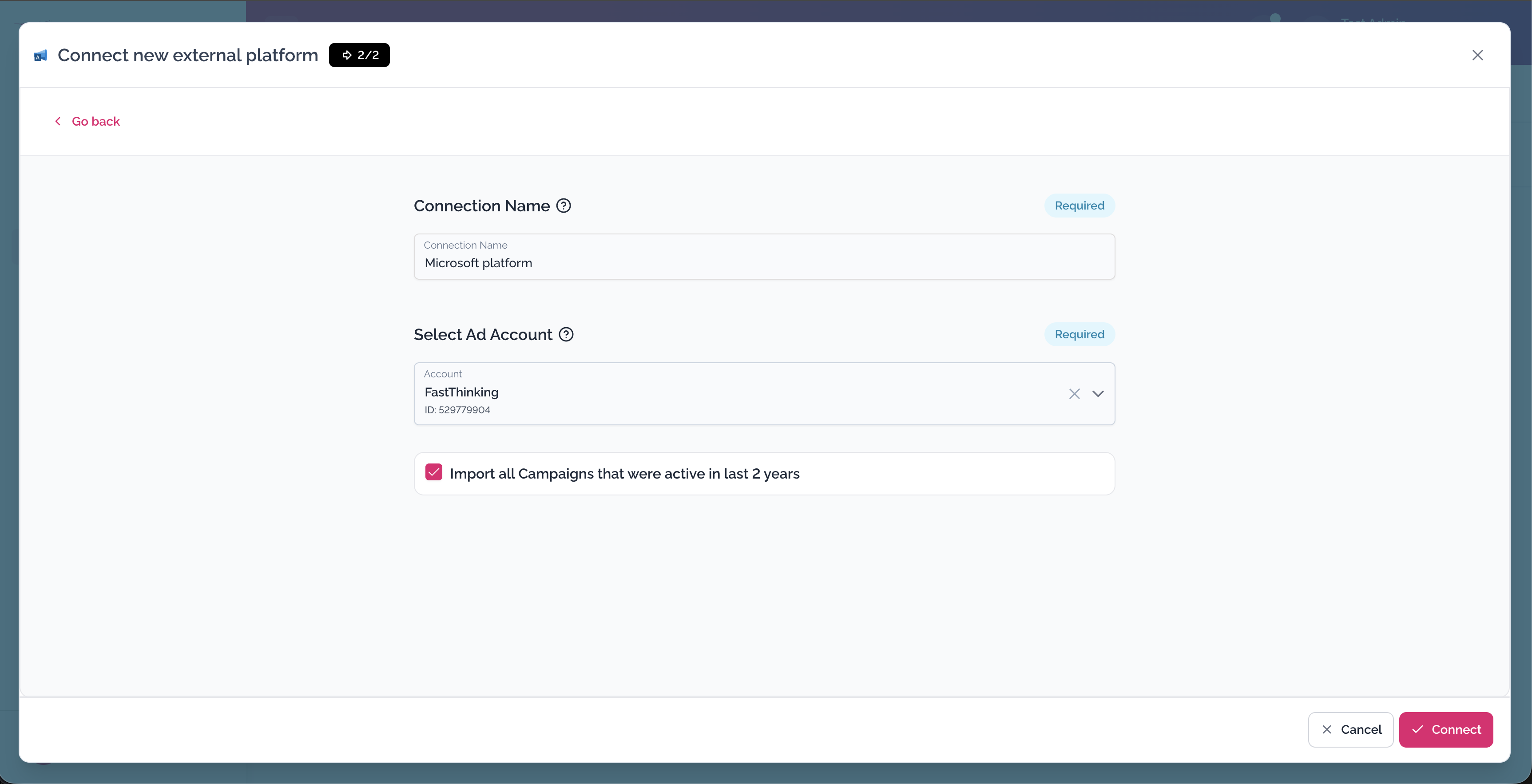
→ Auto-import historical campaign data
Your Google Ads account will now appear in Setup → Connections with a green Connected badge.
You're ready to import your campaigns.
→ Import your Google Ads campaigns
What permissions are granted?
| Permission | Why we need it |
|---|---|
| View your Google Ads campaigns | To import and display your ads |
| Manage your Google Ads campaigns | To let you make changes from our platform |
We do not request access to billing, payment methods, or account ownership settings.
Remove Google Ads
To remove the connection at any time:
- Go to Setup → Connections
- Find Google Ads click Remove in the 3-dot menu
- Confirm
Your imported data stays in the platform, but we'll no longer sync with Google Ads until you reconnect.
Troubleshooting
I don't see my Google Ads account in the list
Make sure you're signed in with the correct Google account. The account must have Standard or Admin access to the Google Ads account you're looking for.
The Google login window didn't open
Your browser may be blocking popups. Allow popups for our platform and try again.
I got an error after signing in
Try disconnecting and reconnecting. If the problem persists, contact support.