
Appearance
Connecting Microsoft Ads
Link your Microsoft Advertising account (formerly Bing Ads) to manage search campaigns on Microsoft's network alongside your other platforms.
Before you start
Make sure you have:
- A Microsoft account (Outlook, Hotmail, or work/school account)
- Access to at least one Microsoft Advertising account
- The Super Admin or Standard User role on that account
How to connect
Step 1 - Open Connections
In the left sidebar, click Setup → Connections.
Find Microsoft Ads and click Connect.
Step 2 - Sign in with Microsoft
A Microsoft login window will open.
- Enter your Microsoft account email and password
- If your organization uses two-factor authentication, complete that step
- Click Accept when asked to grant permissions
Privacy
We only request access to your Microsoft Advertising data - not your email, calendar, or other Microsoft services.
Step 3 - Select your accounts
After signing in, you'll see a list of Microsoft Advertising accounts available under your login.
- Select the accounts you want to manage
- Click Confirm
Step 4 - You're connected
You can import all campaigns that had data in the last 2 years to Evolve, so that report data is immediately available in Ads Manager.
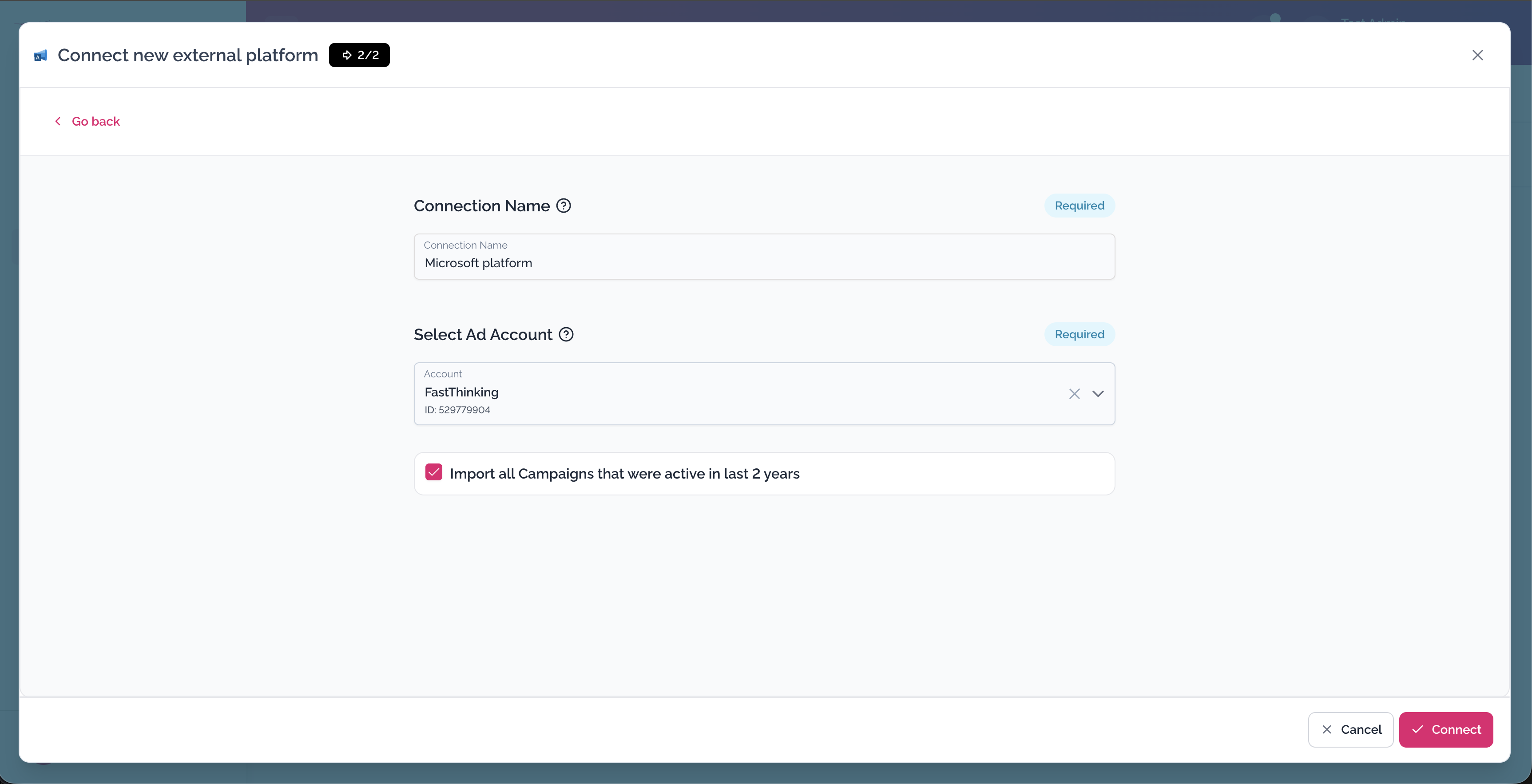
→ Auto-import historical campaign data
Microsoft Ads will appear in Setup → Connections with a green Connected badge.
→ Import your Microsoft campaigns
What permissions are granted?
| Permission | What it's for |
|---|---|
| View Microsoft Advertising accounts | Import and display your campaigns |
| Manage Microsoft Advertising accounts | Edit campaigns and push changes |
We do not access your Microsoft email, OneDrive, Teams, or any services outside of Microsoft Advertising.
Remove Microsoft Ads
- Go to Setup → Connections
- Find Microsoft Ads and click Remove in the 3-dot menu
- Confirm
Troubleshooting
I don't see my Microsoft Ads account in the list
Make sure you're logged in with the correct Microsoft account. Check that your account has Standard User or Super Admin access at ads.microsoft.com → Setup → Account Access.
The Microsoft login window didn't open
Allow popups for our platform in your browser Setup and try again.
I use a work Microsoft account and got an error
Your company's IT admin may have restricted third-party app permissions. Ask your IT team to allow access, or use a personal Microsoft account if you have one linked to the ad account.
My connection stopped working after a password change
Changing your Microsoft password invalidates existing tokens. Disconnect and reconnect Microsoft Ads to restore access.